12. Output devices
Group Assignment
In Group Work, my team tested the NeoPixel Ring with different amounts of pixels and measured the power that it consumed.
Individual Assignment
This week I added a 20x4 LCD to my microcontroller board and program it to print different things to test if it consumes different power.
Setup
At the beginning, I met a problem that I connected the LCD with 3V source. Thus, it didn’t get enough power to turn on. It took me a while to check that if my code was wrong and what is the problem. After I tried to look again my voltage source, I recognized that 3V is not enough power.
First, I need to connect the LCD through I2C with VCC, GND, SCL, and SDL pins. I also use a measurement USB to connect between my laptop and my microcontroller board.
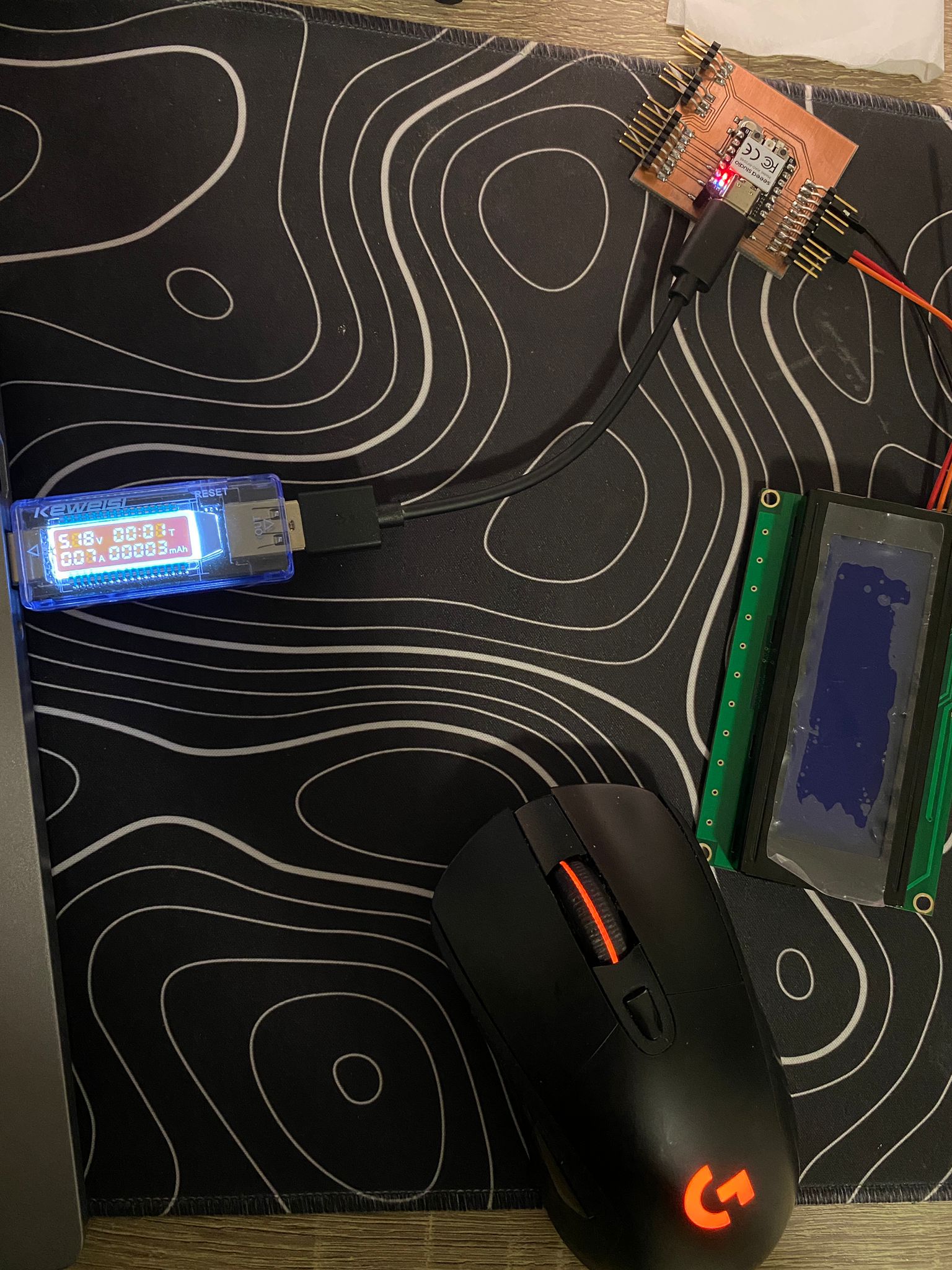
Before I connect the LCD, I check how much power my board consumes.
P = 5V * 0.07A = 0.35W. Around 0.35W
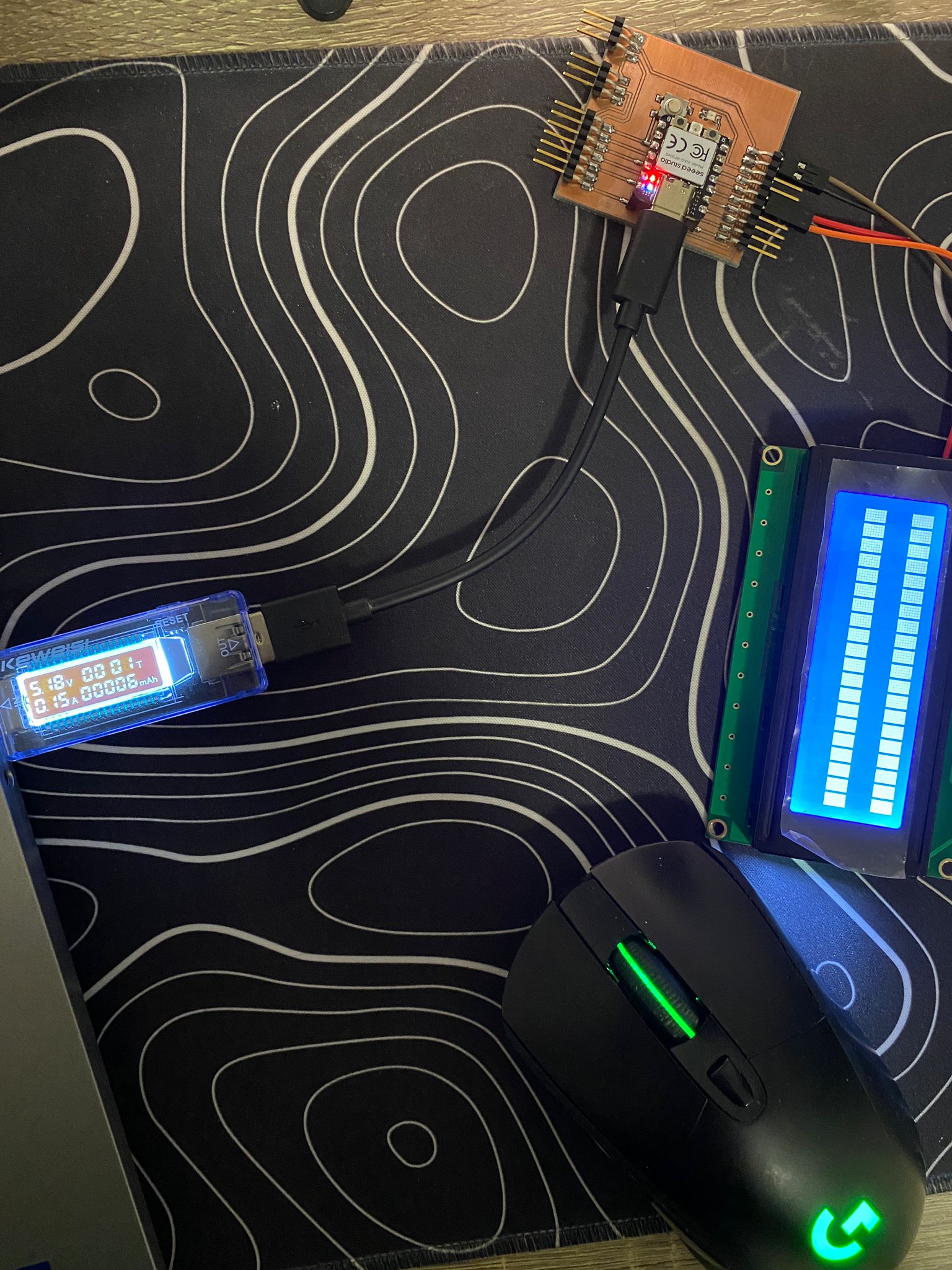
After that: P = 5V * 0.15A = 0.75W
Code
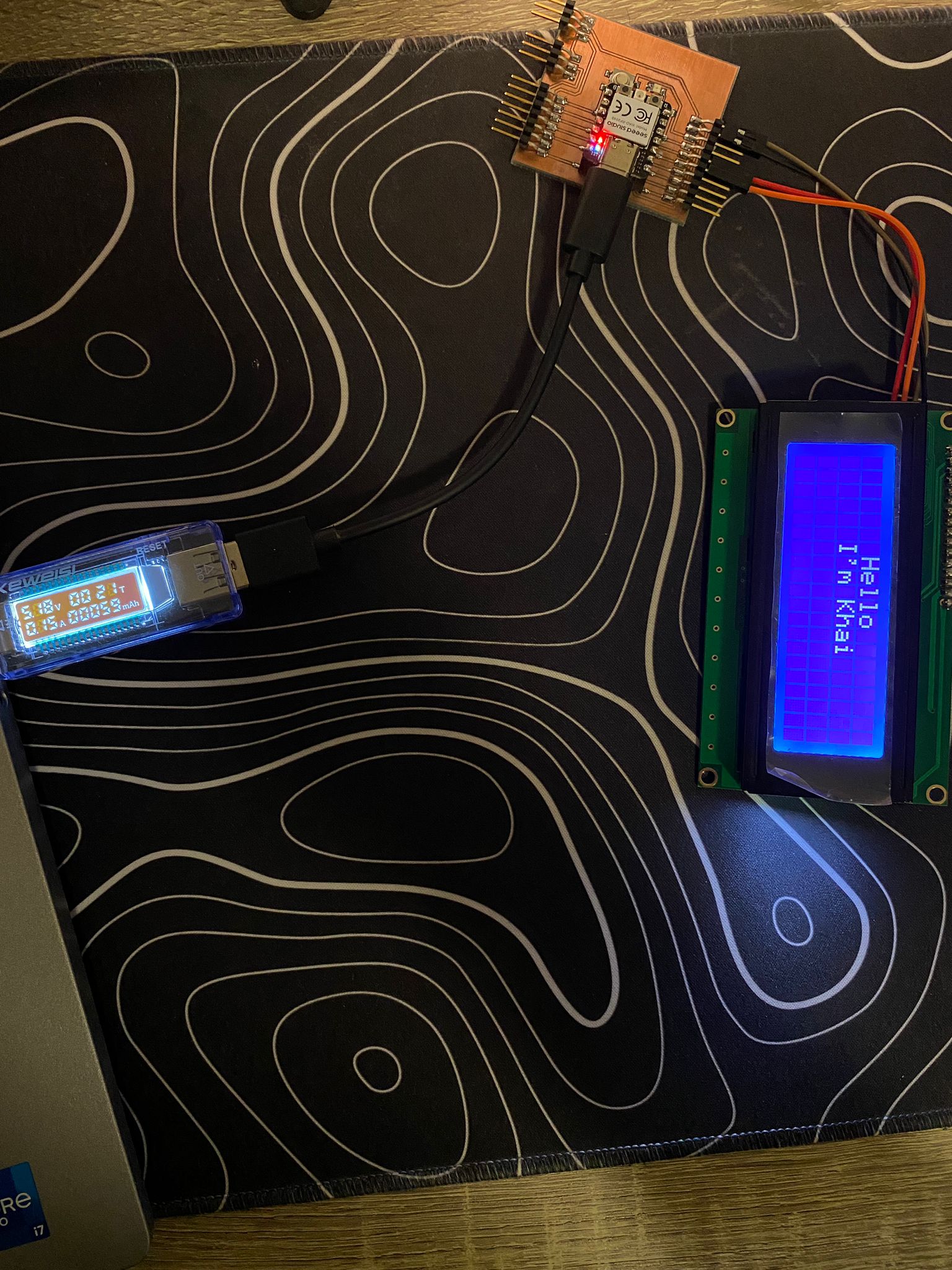
First code, I tried some simple print on the LCD.
#include <LiquidCrystal_I2C.h>

LiquidCrystal_I2C lcd(0x27, 20, 4);

void setup()
{
  lcd.init(); // initialize the lcd
  lcd.backlight();
  lcd.clear();
  lcd.setCursor(7, 0);
  lcd.print("Hello");
  lcd.setCursor(6, 1);
  lcd.print("I'm Khai");
}

void loop() {
}
The LCD still consumes the same power.
Special
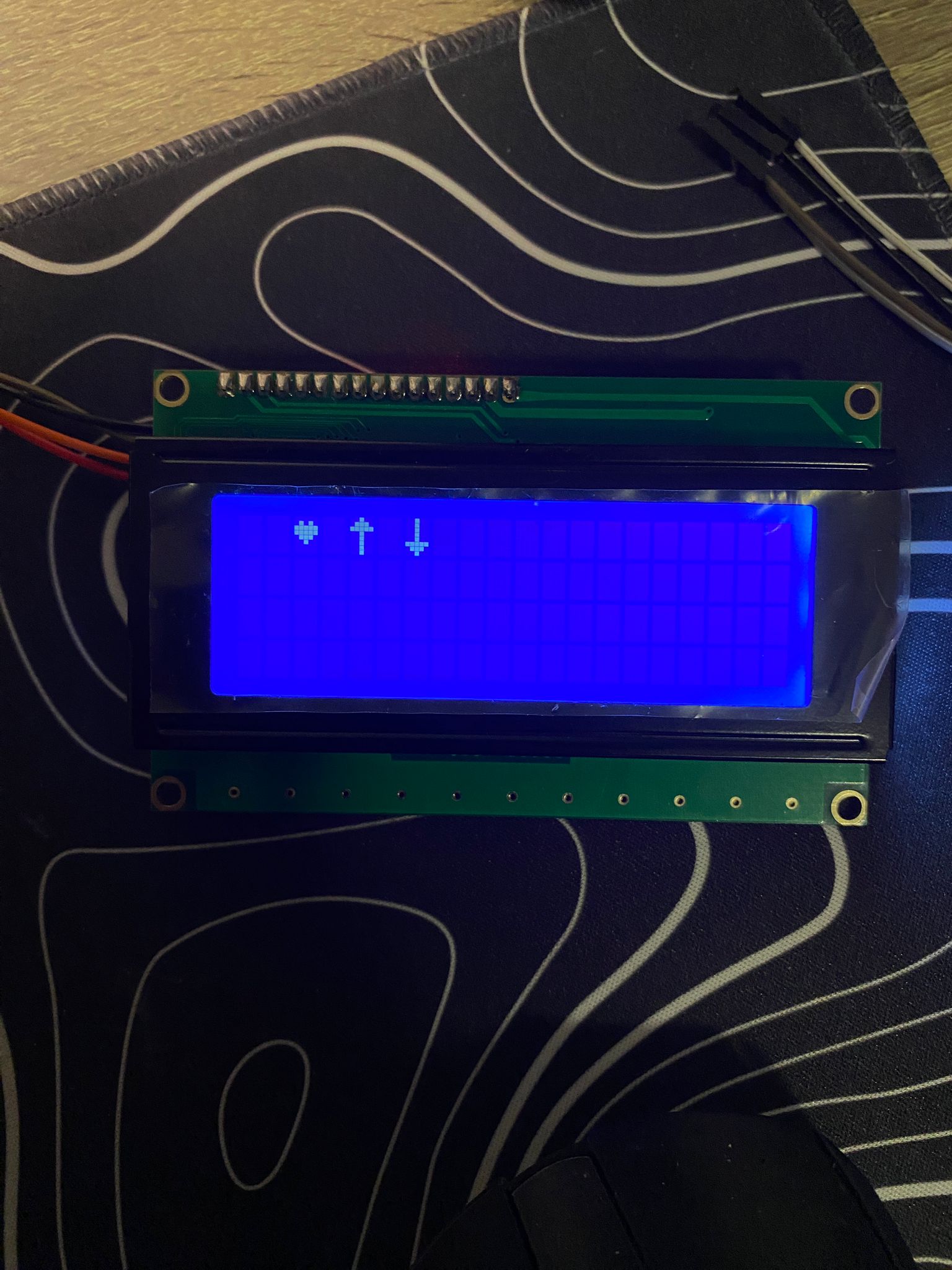
Each character in the LCD is composed of 40 pixels (8 rows and 5 columns). Thus, I tried some custom characters on the LCD.
#include <LiquidCrystal_I2C.h>

LiquidCrystal_I2C lcd(0x27, 20, 4);

byte customChar0[8] = {
  0b00000,
  0b01010,
  0b11111,
  0b11111,
  0b01110,
  0b00100,
  0b00000,
  0b00000
};

byte customChar1[8] = {
  0b00100,
  0b01110,
  0b11111,
  0b00100,
  0b00100,
  0b00100,
  0b00100,
  0b00100
};

byte customChar2[8] = {
  0b00100,
  0b00100,
  0b00100,
  0b00100,
  0b00100,
  0b11111,
  0b01110,
  0b00100
};

void setup()
{
  lcd.init();
  lcd.backlight();

  lcd.createChar(0, customChar0);
  lcd.createChar(1, customChar1);
  lcd.createChar(2, customChar2);
  lcd.setCursor(2, 0);
  lcd.write((byte)0);

  lcd.setCursor(4, 0);
  lcd.write((byte)1);

  lcd.setCursor(6, 0);
  lcd.write((byte)2);
}

void loop()
{
}
Here is the result: